
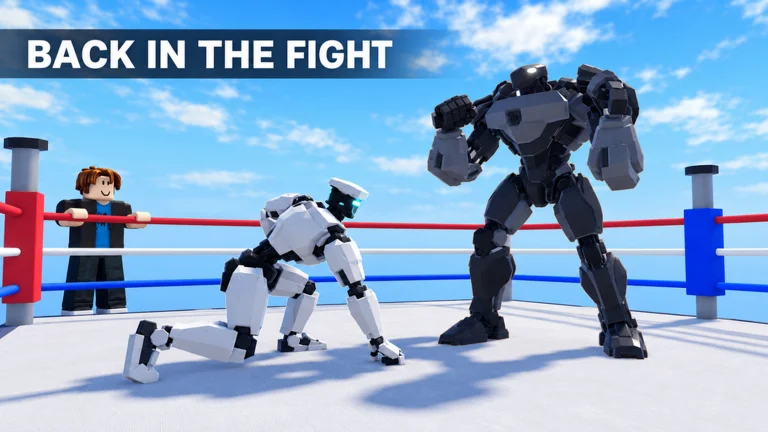
Your first goal is simple: understand what your robot does before you spend time chasing a different one.
01. Make sure you’re in the right ring
Open the official Roblox experience by Ragdoll Physics Experiences, place ID 94491633857486. You need the Roblox app and an account. This guide does not host a browser version.
The developer says to pick a robot and walk up to a ring. There are 10 rings and up to 20 players in a server. Use the on-screen prompts for your current device.
02. Start with a manageable bot
The official description lists bot opponents from Easy through Champion. Start at the lower end while learning the available actions. This is a practice recommendation, not a claim that bot wins unlock a specific reward.
Make the first round about movement and defense. In the next, try to place a single hook or uppercut after the opponent attacks. Keeping the experiment small makes it easier to notice what changed.
TEACHES MORE THAN
TEN RANDOM SWINGS.
03. Learn the rhythm, then add your special
Ducking, weaving and blocking are named in the official description. Try them separately, watch the result and return to a position where you can see the opponent. If your special has a visible cooldown or resource requirement, learn that from its live tooltip.
Do not assume a combo, timing window or damage number from another Roblox boxing game carries over. Test one action at a time in this game.
04. Redeem codes before spending
Our Ragdoll Robot Boxing codes includes regular Spins, Lucky Spins and Gears. Check the exact reward message after redeeming. Before rolling, read the game’s current spin screen: costs, odds and replacement behavior can change.
Some third-party guides warn that spinning can replace an equipped robot. Treat that as a reason to inspect the confirmation screen carefully; we have not tested the replacement rules.
05. Ragdoll Robot Boxing controls & combat practice
The developer lists PC, phone and controller support. The exact inputs below have not been independently tested; follow the prompts in the current game.
PC controls
Check the on-screen keyboard and mouse prompts. Exact key bindings: not verified.
Mobile controls
Look for the live touch controls on your screen. Button placement and exact actions: not verified.
Controller controls
Read the in-game button prompts for your controller. Exact button mapping: not verified.

PC, phone and controller
All three are supported according to the developer. Exact key and button bindings were not provided in the checked official description. Use the current on-screen control prompts; we are not going to assign keys that have not been verified.
PC: read the keyboard and mouse prompts in the live game. Practice movement and defensive inputs before attacking.
The actions you’re learning
Explore how the robot moves around an incoming attack. Observe the result before combining inputs.
Learn the game’s visible defensive feedback. Check for any resource or limit shown in the UI.
Try each attack separately at a repeatable distance. Watch for misses and what follows them.
Read your robot’s description. Work out when it connects before using it under pressure.
Try this three-round practice plan
- Round one: observe. Against a manageable bot, focus on movement and one defensive action.
- Round two: answer once. Try one attack after the opponent commits. Watch whether your response is early, late or out of range.
- Round three: add the special. Try it after a situation you can recognize, rather than activating it at random.
This is a general practice routine, not a verified exploit or guaranteed combo. Physics-driven fights are variable; compare a few similar exchanges.
Three habits worth dropping
Changing everything after one loss. Keep the robot and opponent consistent while testing one adjustment.
Assuming rarity solves timing. Better familiarity can be more useful than a special you cannot land.
Copying controls from another title. Ragdoll Boxing 3D and Untitled Robot Boxing are different experiences. Their inputs, codes and mechanics should not be treated as interchangeable.
Milestones listed on Roblox
The official game listing says there are 24 badges to collect. The three badge descriptions below were visible on the Roblox listing when checked on October 31, 2026. We have not earned them in-game; availability and requirements can change.
- Welcome to the Ring — the listing describes joining Ragdoll Robot Boxing for the first time.
- Boot Camp — the listing describes completing the tutorial.
- First Blood — the listing describes winning your first fight.
See the official Roblox game listing for the current badge descriptions and more badges.
06. Change one thing in your next fight
After a loss, pick a concrete adjustment: fewer repeated attacks, more distance after an exchange, or a better moment for your special. Compare the next round against that one goal.
Robot-specific matchups and exact damage need live testing. Our Ragdoll Robot Boxing robot selection guide gives you a comparison checklist rather than a made-up tier list.
What this guide is based on
Game identity, modes and named actions come from the official Roblox listing and its public metadata, reviewed October 31, 2026. Practice routines are our general coaching suggestions. No hands-on gameplay test is claimed.